Quick Answer
A power bank digital display usually reports an estimate of its own remaining charge. It does not automatically measure delivered energy, your phone’s percentage, charging speed or battery health. Read the model’s display definitions. Treat a detailed number as useful guidance, not proof of laboratory accuracy or a guaranteed number of charges.
Introduction
You check a power bank digital display before recharging or leaving home. This guide explains that number’s practical meaning. Learn which claims to verify and what to record when readings seem unusual. You can then compare samples before ordering.
1. Identify What The Number Describes
You should first establish whether the screen describes the power bank, the connected device or another operating value.
A percentage on a portable battery normally concerns that battery’s reported charge level. The phone has its own battery and its own estimate. Their percentages describe different systems. A power bank showing 60% does not promise that your phone will gain 60 percentage points.
Read the manual’s screen legend. Some displays offer several fields or alternate between views. A bare number without a clear unit can be misleading. Ask which field appears at startup, during input, during output and after inactivity. Check what a button press changes before interpreting a photograph.
Keep the exact model and battery series with your notes. Similar-looking products may use different controllers or display behavior. A catalog rendering can explain the layout, but it cannot establish every live screen state. For a private-label project, obtain the approved screen definitions before writing the retail description or user instructions.
2. Understand Why Percentage Is An Estimate
You should treat state of charge as an estimate produced by the product’s implemented gauging method.
TI’s fuel-gauge reference design uses temperature, voltage and current to determine charge state. That illustrates one implementation, not the controller inside a ZONNGOO product. Ask what method and validation apply to your selected model. Do not assume a familiar screen proves a particular integrated circuit.
The reported value depends on the information available and how the product processes it. A display can present a whole-number percentage even when the underlying estimate has uncertainty. More digits or a larger screen do not remove that uncertainty. Distinguish the display’s resolution from its demonstrated accuracy.
When a supplier claims accuracy, ask how it was evaluated. You need a reference method, operating conditions and a clear error definition. An attractive animation is not that evidence. Without supporting information, describe the screen as an indication of remaining charge rather than assigning an invented accuracy tolerance.
3. Compare Digital Screens With LED Indicators
You should choose the indication format by the information you need, not by assuming digits are inherently more accurate.
A row of LEDs typically communicates a small set of states. A numerical display can communicate finer-looking increments. The actual meaning of each LED pattern still depends on the manual. Do not assign universal percentage bands to four lights unless the selected product defines them.
A screen can be easier to interpret for someone deciding whether to recharge before departure. LEDs can provide a simpler glanceable indication. Neither format alone proves cell quality, protection performance or usable energy. Ask whether the indication remains legible in your customers’ intended environment.
Compare viewing angle, contrast, activation and timeout on samples. Check whether a cable or hand obscures the reading. Evaluate the actual display size rather than a magnified catalog crop. Some customers prefer minimal interaction. A clearly explained LED pattern may help them more than extra fields they cannot interpret.
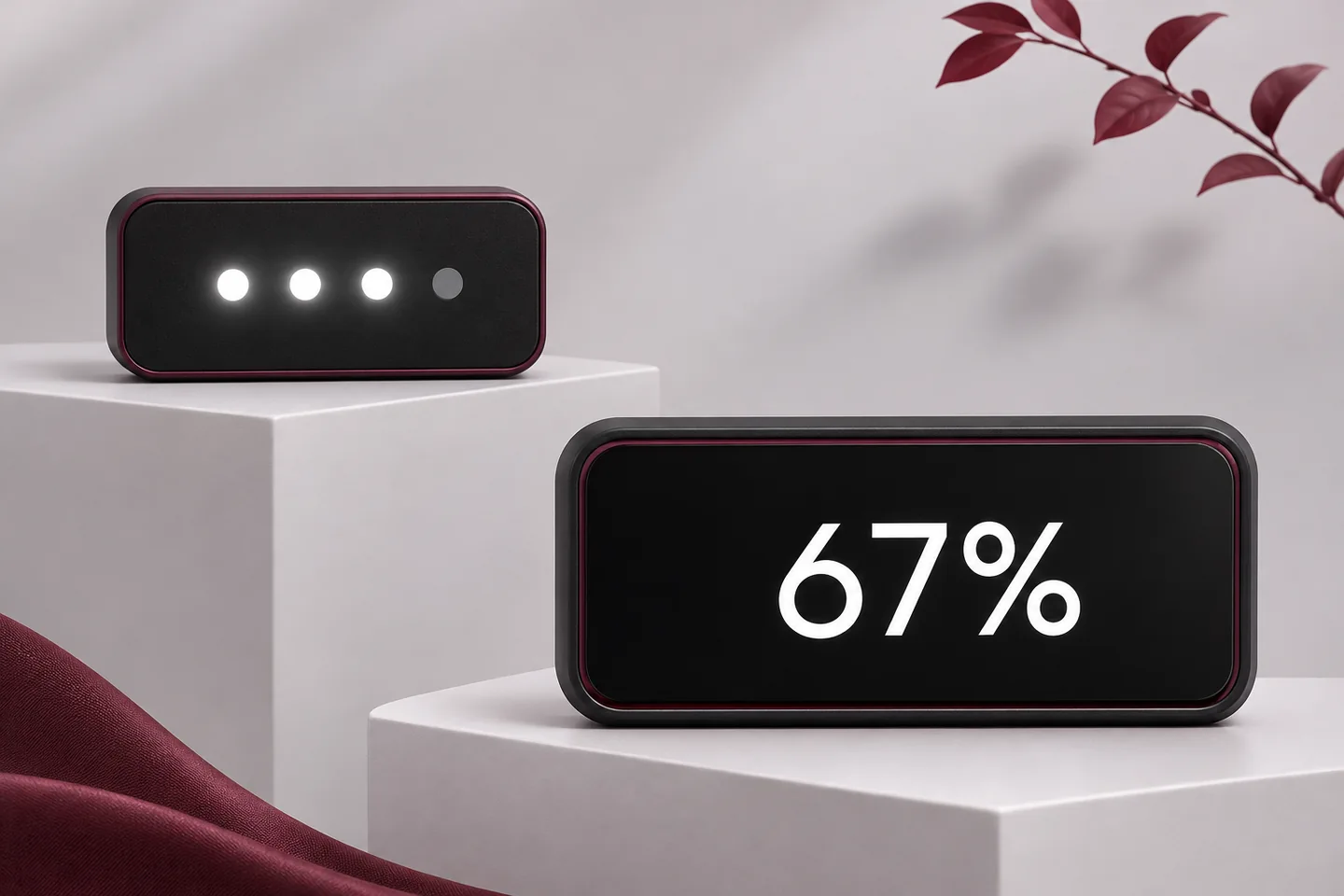
AI-generated display concepts; the two indications are independent examples, not equivalent charge levels or an accuracy comparison.
4. Separate Remaining Charge From Charging Power
You must distinguish a percentage from values describing voltage, current, power or operating direction.
Percent describes a proportion on the product’s defined charge scale. Watts describe power. Volts and amperes describe different electrical quantities. An input indicator means the power bank is receiving energy; an output indicator concerns supplying another device. A percentage alone does not confirm a fast-charging protocol or a particular wattage.
If a screen shows watts, ask where that value is measured and whether it concerns one port or total output. A supplier’s maximum rating and a momentary screen reading answer different questions. Do not transfer a wattage shown in promotional artwork into a sustained-performance promise.
For two devices, clarify whether the display separates connections or combines them. Use the simultaneous charging guide to define the relevant arrangement. A rich display helps you observe behavior. It does not replace the combination table or the receiving device’s requirements.
5. Keep Percentage Separate From Capacity And Energy
You cannot convert a displayed percentage into a guaranteed number of phone charges without additional information.
Capacity labels and remaining-charge percentages serve different purposes. A cell-capacity headline describes a specified basis, not necessarily usable output at a phone’s connector. A percentage is an indication relative to the product’s charge estimate. It does not independently validate the printed capacity.
Suppose a fictional product displays 50%. That reading does not establish half the label’s mAh as deliverable USB energy. You would need the energy basis, output conditions and supporting performance information. Do not multiply an internal-cell capacity by a USB voltage to invent remaining watt-hours.
| Display Or Label | Useful Question | What It Does Not Establish |
|---|---|---|
| Remaining percentage | Should you plan to recharge? | Guaranteed energy delivered to a phone |
| LED pattern | Which defined indication is active? | Universal percentage bands |
| Power reading | What output or input is being indicated? | Sustained maximum performance |
| Cell-capacity label | What capacity basis is specified? | Remaining usable output from one screen reading |
| Health or cycle field | How is this field defined and validated? | An automatic independent health certificate |
For capacity selection, read the 5,000mAh versus 10,000mAh guide. Keep its energy questions separate from the screen’s convenience. A clear display helps planning; it does not create additional stored energy.
6. Explain Uneven Changes Without Inventing A Diagnosis
You should record the conditions around an unexpected change instead of diagnosing the battery from the percentage alone.
A numerical indicator need not count down at equal time intervals. The connected device’s demand can change during use. The product’s estimation and update behavior also matter. Without the model’s implementation details, do not claim a specific algorithm or a universal reason for every sudden change.
Analog Devices describes a gauge that accounts for aging, temperature and discharge rate. This is an example of engineering considerations, not evidence that a ZONNGOO model uses that component. It also does not establish the cause of a particular customer’s reading.
Note what happened immediately before the change. Did you connect another device, switch the output arrangement or restart the display? Record the previous indication, new indication and elapsed period. Compare with the instructions and ask support if behavior remains unexplained. One unusual transition is not enough to certify capacity loss or declare an internal component faulty.
7. Interpret Full And Empty Using The Instructions
You should follow the product’s completion and low-charge instructions rather than treating screen endpoints as internal-cell measurements.
A displayed 100% is not a direct statement about every internal electrical value. Check how the manual defines completion and which indicators accompany it. Likewise, a displayed 0% is not permission to extract more energy by bypassing controls. User-facing indication and internal protection are different functions.
Do not repeatedly force full discharge merely to make a screen look consistent. Do not open the housing or improvise a reset procedure. If the manufacturer specifies an initialization or learning process, follow that exact guidance. Avoid transferring a procedure from an unrelated battery product.
Keep recharge planning practical. The recharge-time guide explains why a percentage alone cannot predict the complete refill time. If the indication stays at an endpoint unexpectedly, record the setup and consult the normal troubleshooting instructions. Never turn a display question into an unsupported operating recommendation.
8. Review Display Usability In Realistic Conditions
You should evaluate how easily customers can read and understand the display in the intended use setting.
Try ordinary viewing distances and angles. Check visibility under typical indoor lighting and the conditions relevant to your audience. Avoid claiming outdoor readability from an edited studio image. A reflective cover can change the experience even when the screen looks sharp in a catalog.
Observe activation and timeout. Does the screen appear when you connect a cable, press a button or both? Can you read the relevant field before it disappears? Ask whether the behavior is fixed or configurable. Do not promise a customization option until the supplier confirms it.
Review the explanation as carefully as the hardware. Clear units, direction indicators and concise instructions reduce misunderstandings. For multilingual packaging, translate the meaning of symbols as well as the text. A larger screen with unclear terminology can create more support questions than a simpler display with accurate instructions.
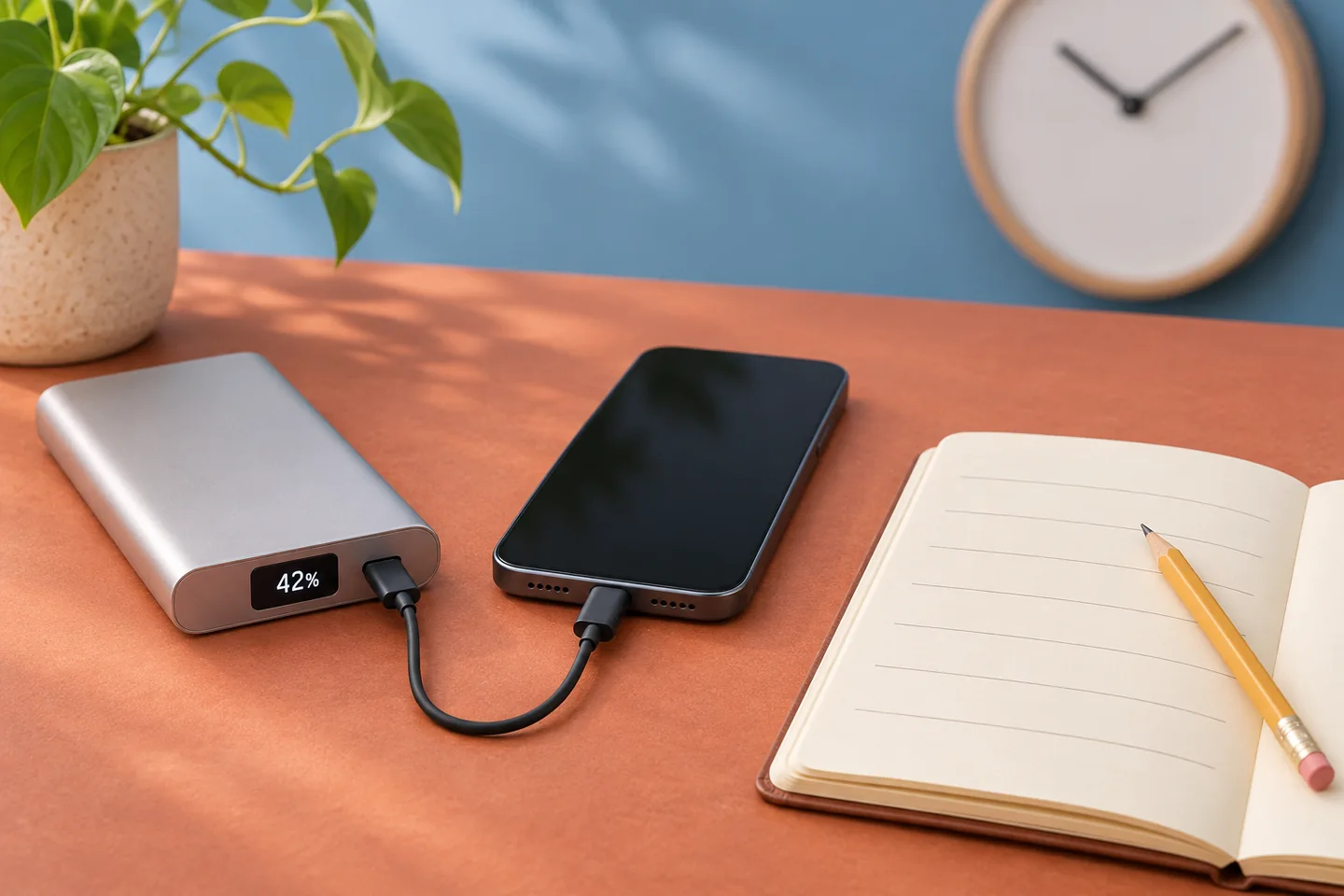
AI-generated observation-planning scene; the number is illustrative, not a real customer record, measurement or product test.
9. Compare Samples With A Defined Observation Plan
You can compare displays more usefully when you record a consistent setup and separate observation from measurement.
Write down the complete product reference, battery series, document revision and sample identifier. Record the connected device, cable, starting indication and operating mode. Keep the observation sequence consistent across candidates. Otherwise, differences in use can be mistaken for differences in indication quality.
Record screen behavior during normal charging, normal output and inactivity. Note refresh changes, completion behavior and the information shown after reconnecting. Use photographs to document legibility, not to claim electrical accuracy. Keep any actual customer details out of public sample records.
If you need a numerical accuracy claim, agree a qualified evaluation method separately. Define the reference, conditions, measurement boundary and acceptance criteria. A second product’s percentage is not automatically a reference instrument. Discuss the plan through sample confirmation. This is a suggested purchasing workflow, not a claim that ZONNGOO has already completed these evaluations.
10. Ask About The Exact Display Configuration
You should confirm the available fields and behavior for the specific product before approving a display-led sales claim.
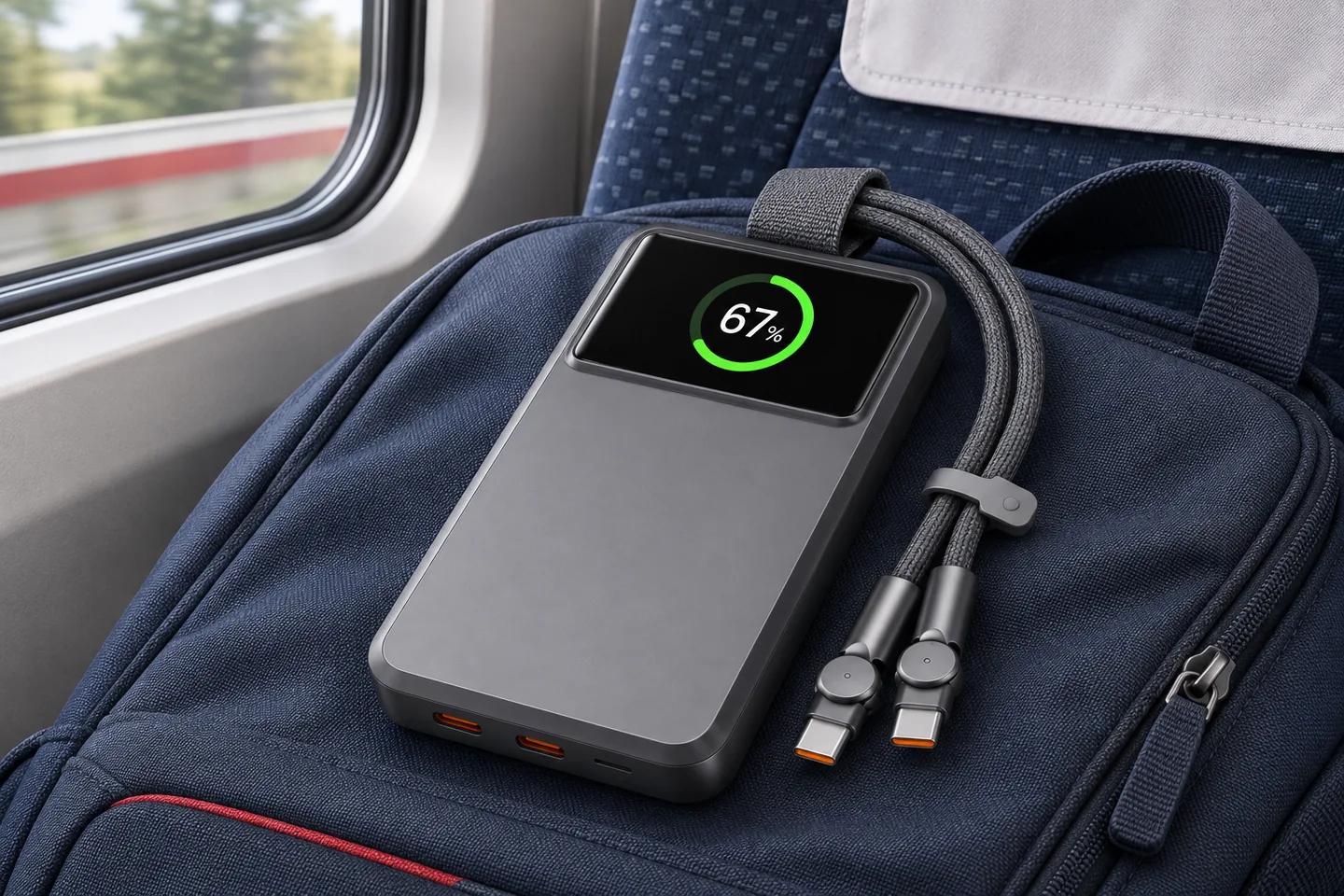
The semi-solid-state 10MC25-45W page lists a 1.9-inch TFT display. It asks buyers to confirm the available data fields and behavior on the sample. The display listing does not establish accuracy, a specific gauge chip or every screen shown in artwork.
Use this distinction when comparing numeric LEDs, multi-field TFT screens and other formats. Record which features belong to the standard configuration and which require confirmation. Screen size, information layout and electrical estimation are separate questions. Do not infer one from another.
Ask whether the approved sample and production order use the same defined configuration. If anything changes, update the manual and product listing accordingly. For an OEM/ODM project, request a written response to any desired display modification. This article does not promise firmware access, a new user interface or a particular component supply.
11. Write A Clear Display Requirement For Your Order
You should specify the information customers need and the claims you can support, rather than simply requesting more digits.
Send your market, quantity, selected model and intended users. State whether remaining percentage is sufficient or whether other fields are necessary. List readability, activation, timeout and language requirements. Separate essential functions from optional preferences so the supplier can address the actual priorities.
For the packaging brief, distinguish a concept rendering from the approved screen. Do not print a sample power reading as a fixed product guarantee. Explain what the percentage means and where customers find the full instructions. Avoid unsupported accuracy, health or remaining-runtime claims.
ZONNGOO presents power banks, customization and sample-confirmation services on this website. Model availability, display configuration and supporting evidence require inquiry confirmation. Send one complete requirement set through the article’s inquiry link. Clear definitions help your customers use the product and help your team answer display questions consistently.
Frequently Asked Questions
Does A Digital Display Show My Phone’s Battery Percentage?
Usually, the power bank’s percentage concerns its own estimated remaining charge. Your phone reports a separate battery state. Check the selected product’s screen definitions. Do not assume matching percentages or transfer one device’s remaining-charge claim to another device.
Is A Percentage Screen More Accurate Than Four LEDs?
Not necessarily. A numerical screen has a finer-looking presentation, but accuracy depends on the implemented estimation and validation. LED meanings also depend on the manual. Compare usability and supporting evidence rather than treating additional digits as an accuracy certificate.
Does 50% Mean Half The Printed Capacity Can Reach My Phone?
No. The reading does not independently establish usable USB output energy. You need the capacity basis, operating conditions and appropriate performance information. Losses and device requirements also matter. Avoid promising a fixed number of phone charges from a single percentage reading.
Why Does The Percentage Sometimes Change Quickly?
Demand, conditions and update behavior can affect what you see. The cause depends on the product’s design and the actual sequence. Record the setup and consult its instructions. Do not diagnose a defective cell or prescribe a reset solely from one display transition.
Should I Drain The Battery To Zero To Fix The Display?
Do not create a forced-discharge routine without the manufacturer’s instructions. Follow any model-specific initialization guidance instead. Never bypass protection or open the housing to change a reading. Ask support about unexplained behavior using your model, accessories and observation record.
What Should A Brand Request Before Advertising Display Accuracy?
Ask for the defined quantity, reference method, operating conditions and acceptance criteria. Confirm the approved sample and production configuration. A catalog picture or another device’s percentage is not an independent reference. Keep unsupported numerical accuracy claims out of the listing and packaging.
Conclusion
Use a power bank digital display for informed planning, with its definitions and limitations understood. Separate percentage, power, capacity and health. Confirm the exact configuration and any accuracy evidence before publishing claims. Send ZONNGOO your model and display requirements to discuss a suitable sample review.